Overview
Welcome to the "Lost in the Museum" — where computer vision meets art history, and your model becomes the world’s smartest museum curator.
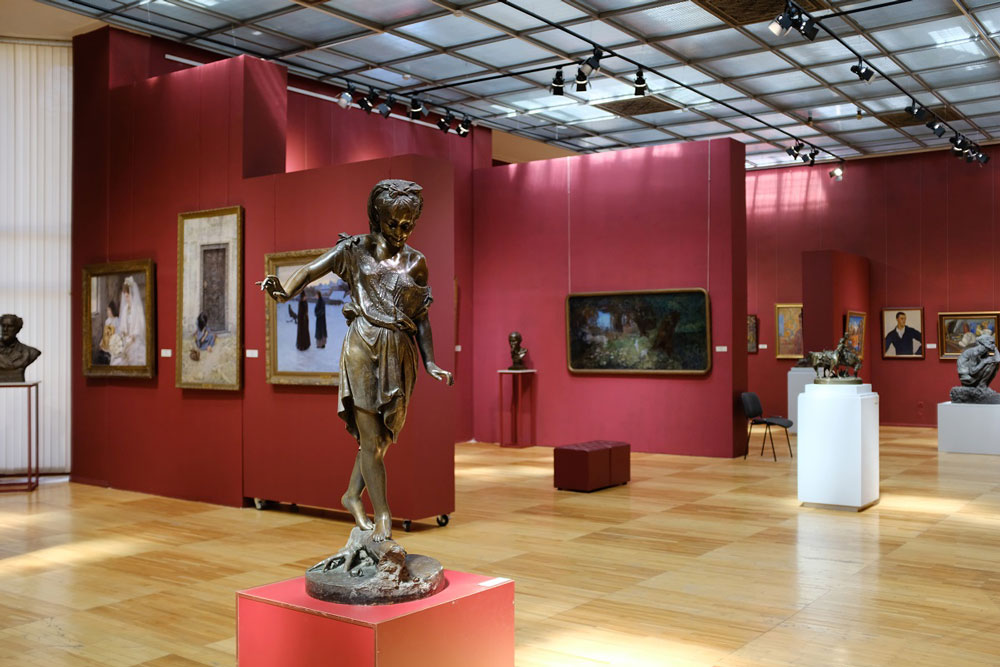
You’re given 1,000 real-world, visitor-taken photos of famous artworks. Those images are shadowed, zoomed-in, poorly lit. Each one needs to match its true identity from a pristine gallery of 10,000 high-resolution paintings.
No text. No metadata. Just pixels.
This is cross-domain image retrieval at its hardest and your model must bridge the gap between messy reality and digital perfection.
Description
You are given a dataset of 20,000 images. Among them:
- 10,000 are high-quality (HQ) studio-captured paintings from museum archives.
- 1,000 are "query" images — real-world photographs taken by visitors under imperfect conditions (motion blur, glare, cropping, low resolution, in different places, on different objects).
- 9,000 are dummy images — distractors. These may include unrelated artwork, or non-painting visuals. Your task is not to classify, detect, or manually match, but to generate a single fixed-dimensional feature vector (embedding) for each of the 20,000 images. These embeddings must encode visual content in a way that is robust to the domain gap between HQ and query images.
You will not be told which images are queries, which are HQ, or which are dummies. You must treat all images equally and derive features purely from their pixel content.
The goal is to learn a representation space in which, despite drastic appearance differences, a query image and its corresponding HQ painting are close — while remaining distant from incorrect matches.
Note: this is not a retrieval task you perform manually. You submit embeddings only. All matching and scoring is done server-side using a private ground-truth mapping known only to the competition host.
Evaluation
Submissions are scored using the Hit@3 metric, computed on server-side in the following manner.
Step 1: Cosine Similarity Matching
For each of the 1,000 private query images, we compute the cosine similarity between its embedding vector and the embedding vectors of all 10,000 high-quality (HQ) gallery images and dummy images (9,000).
The cosine similarity between a query embedding vector q and a gallery embedding vector g is defined as:
where: qg is the dot product of the two vectors |q|_2 and |g|_2 are the L2 norms of the vectors.
Embeddings are expected to be L2-normalized for optimal performance, though non-normalized submissions will still be accepted and scored.
Step 2: Top-3 Retrieval
For each query, all 19,000 embeddings are ranked in descending order of cosine similarity. The top 3 gallery image IDs with the highest similarity scores are selected as retrieval candidates.
Step 3: Hit@3 Scoring
A "hit" is recorded for a query if its true matching HQ painting (as defined in the private ground truth) appears within the retrieved Top-3 list.
The final score is computed as:
This score is a floating-point value between 0.0 and 1.0. A higher score indicates better retrieval performance.
Participants are ranked on the public leaderboard in descending order of their Hit@3 score.
Note: After the challenge, it is required to submit the working notebook to check the reproducibility of the submission and to prevent cheating.
Submission File
You must generate and submit a single CSV file named submission.csv.
The file must contain exactly 20,000 rows — one for each image in the dataset — with no duplicates or omissions.
Each row must include:
The image_name (e.g., 00001.png) A fixed number of feature dimensions (e.g., feature_0, feature_1, ..., feature_D-1), where D is your chosen embedding size (we recommend 256 or 512 for balance of performance and efficiency)
ID,image_name,feature_0,feature_1,feature_2,feature_3,...,feature_D-1
00001.png,00001.png,0.1234,-0.5678,0.9101,...,0.4421
00002.png,00002.png,-0.3312,0.8876,-0.0045,...,1.2039
...
All 20,000 image IDs and image_name must be present — no filtering, sorting, or skipping allowed. One may find sample submission file in dataset section.
Dataset Description
Files
All images (including queries) are in dataset folder.
submission.csv - a sample submission file in the correct format
kaggle competitions download -c lost-in-the-museum-v2